NPC Core

NPC framework with dialogs, trade, and teleportation
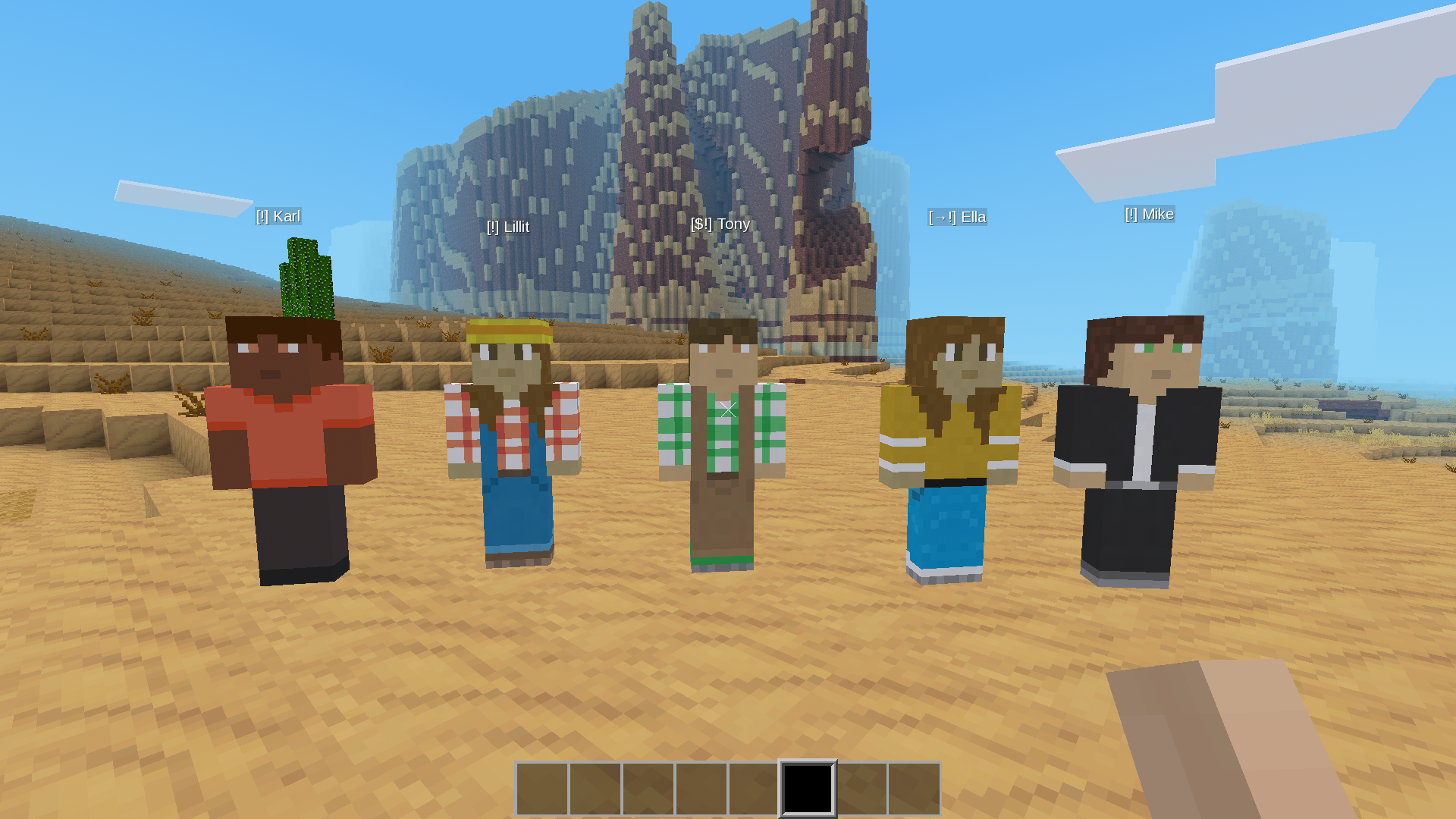
NPC Core
A flexible NPC framework for Luanti (Minetest) that lets you create interactive NPCs without writing any Lua. Dialogs, shops, teleports, and everything else — through an in-game editor.
Features
- In-game editor — create and edit NPCs without touching files
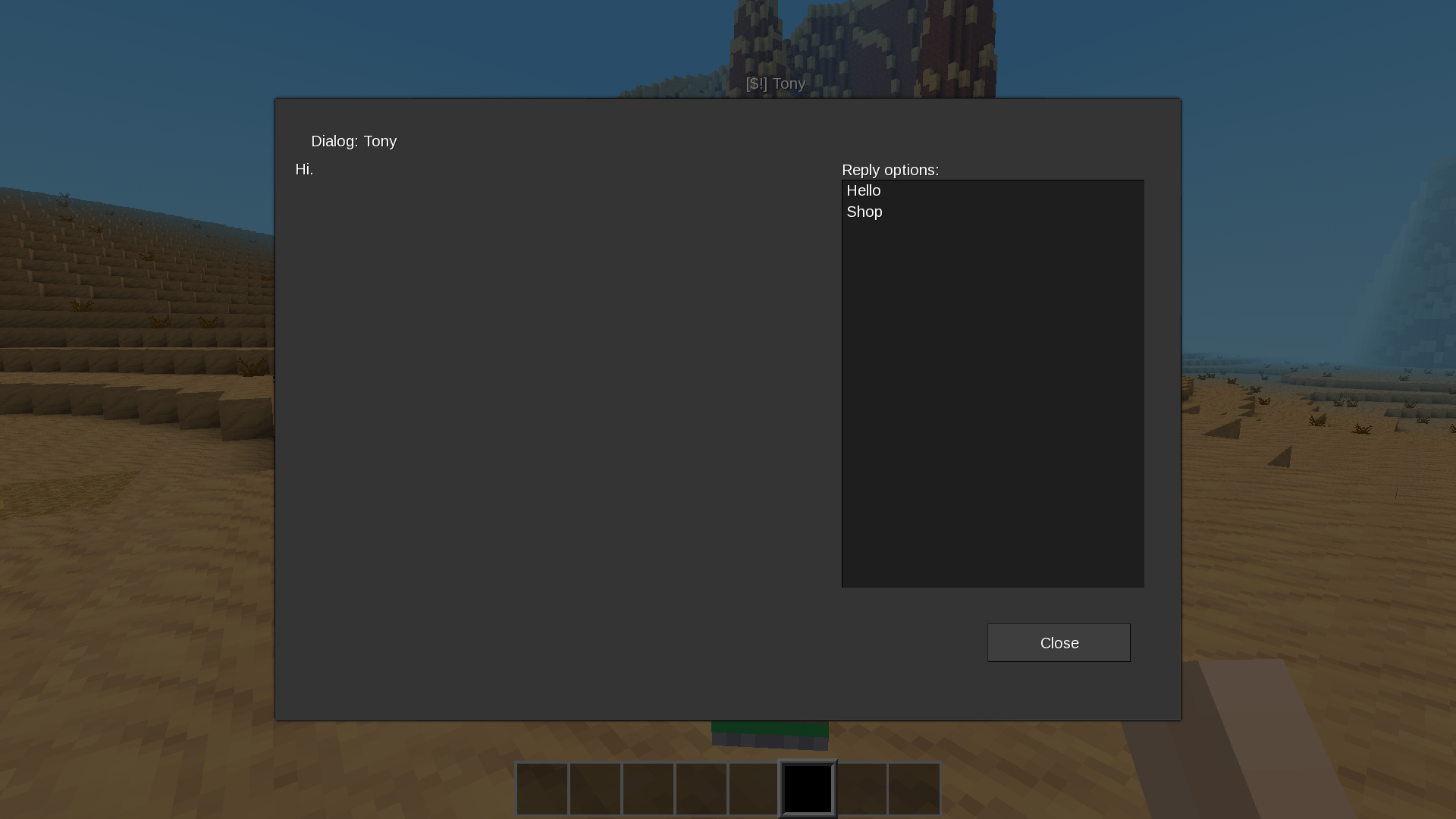
- Branching dialogs — pages with options that lead to other pages
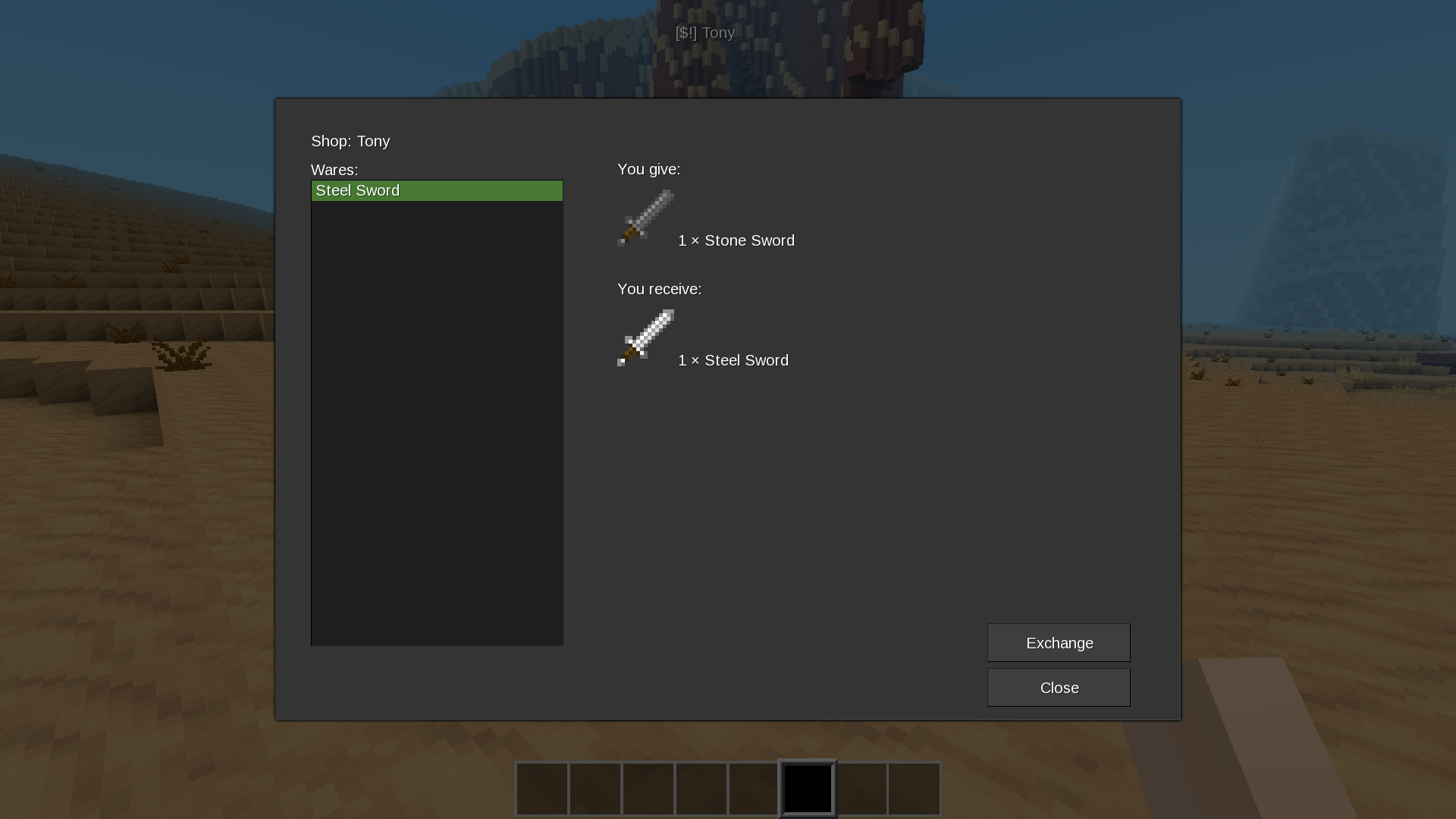
- Shops — trade items with the player, supports multiple items per trade
- Teleports — free or paid (e.g. 1 mese crystal)
- Nametag indicators — icons above NPCs (shop, teleport, dialog)
- Per-player state — dialogs, options, and shop selections are per player
- Export / Import — save NPC templates as JSON, share between worlds
- Efficient at scale — designed for thousands of NPCs (index-based storage)
- Translatable — English and Ukrainian included
Requirements
- Luanti 5.0+ (Minetest 5.0+)
defaultmod (part of Minetest Game)
Installation
- Place the
npc_corefolder into yourmods/directory. - Enable it in your world settings.
- Grant yourself the
npc_adminprivilege (or useserverin singleplayer).
Quick Start
For players:
- Find an NPC in the world.
- Right-click to open a dialog.
- Click an option to continue.
For admins:
- Grant yourself
npc_admin. - Type
/npcin chat to open the admin panel. - Click Template editor → New NPC.
- Fill in the fields, click Save.
- Click Spawn to place the NPC in the world.
Chat Commands
| Command | Description |
|---|---|
/npc |
Open admin panel |
/npc_spawn <def_id> |
Create NPC from template in front of you |
/npc_here |
Move nearest NPC to your position |
/npc_remove |
Delete nearest NPC (radius 5) |
/npc_delete <id> |
Delete NPC by id (works for unloaded chunks) |
/npc_list [page] |
List active NPCs (paginated) |
/npc_count |
Statistics (active / total) |
/npc_yaw <angle> |
Rotate nearest NPC |
/npc_editor |
Open template editor |
/npc_indicators <mode> |
Set nametag mode: all, name, icons, none |
/npc_export <def_id> |
Export template to JSON file |
/npc_import <filename> |
Import template from JSON file |
/npc_exports |
List exported JSON files |
All commands require the npc_admin privilege.
Admin Panel
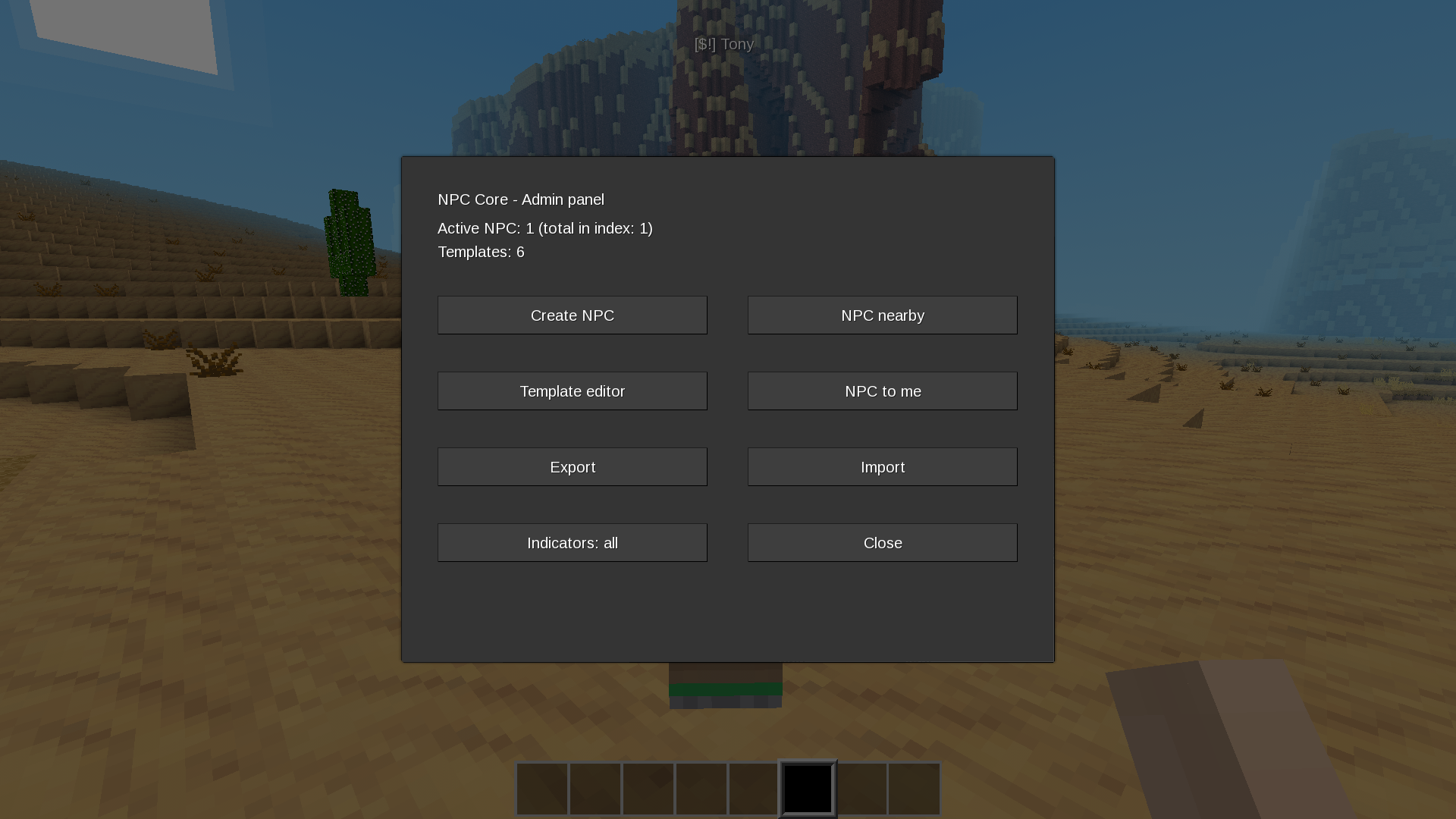
Type /npc to open the main panel. From there:
- Create NPC — choose a template, spawn it in front of you
- NPC nearby — list active NPCs, move / edit / delete them
- Template editor — create, edit, clone, delete NPC templates
- NPC to me — move the nearest NPC to your position
- Export / Import — save or load JSON templates
- Indicators — cycle nametag modes
Template Editor
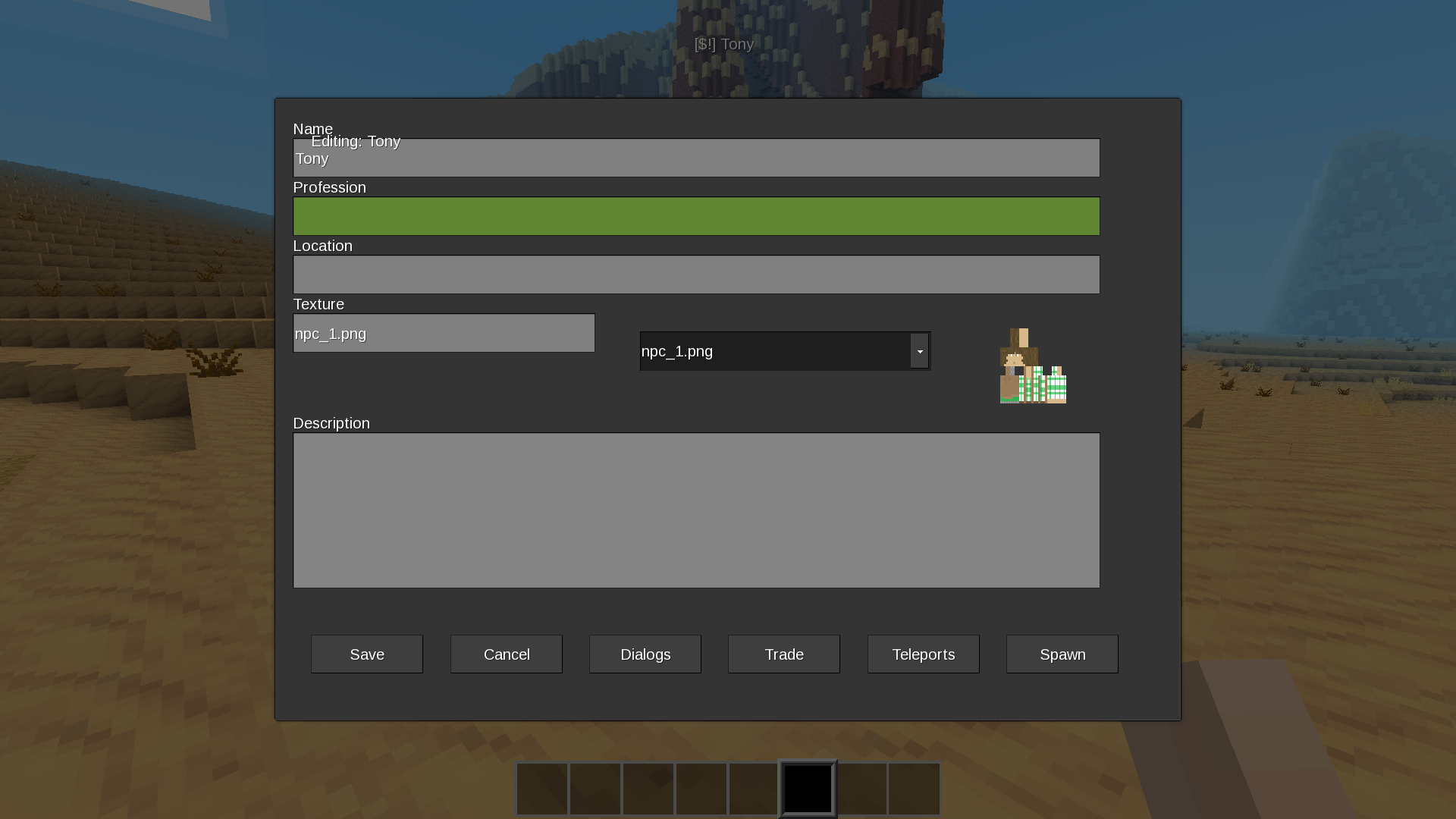
Templates define what an NPC looks like and how it behaves. Open the editor via Template editor in the admin panel.
Basic fields
- Name — shown as nametag and dialog title
- Profession — shown in NPC directory
- Location — shown in NPC directory
- Texture — choose from
textures/folder (dropdown with preview) - Description — free-form text, shown in NPC directory
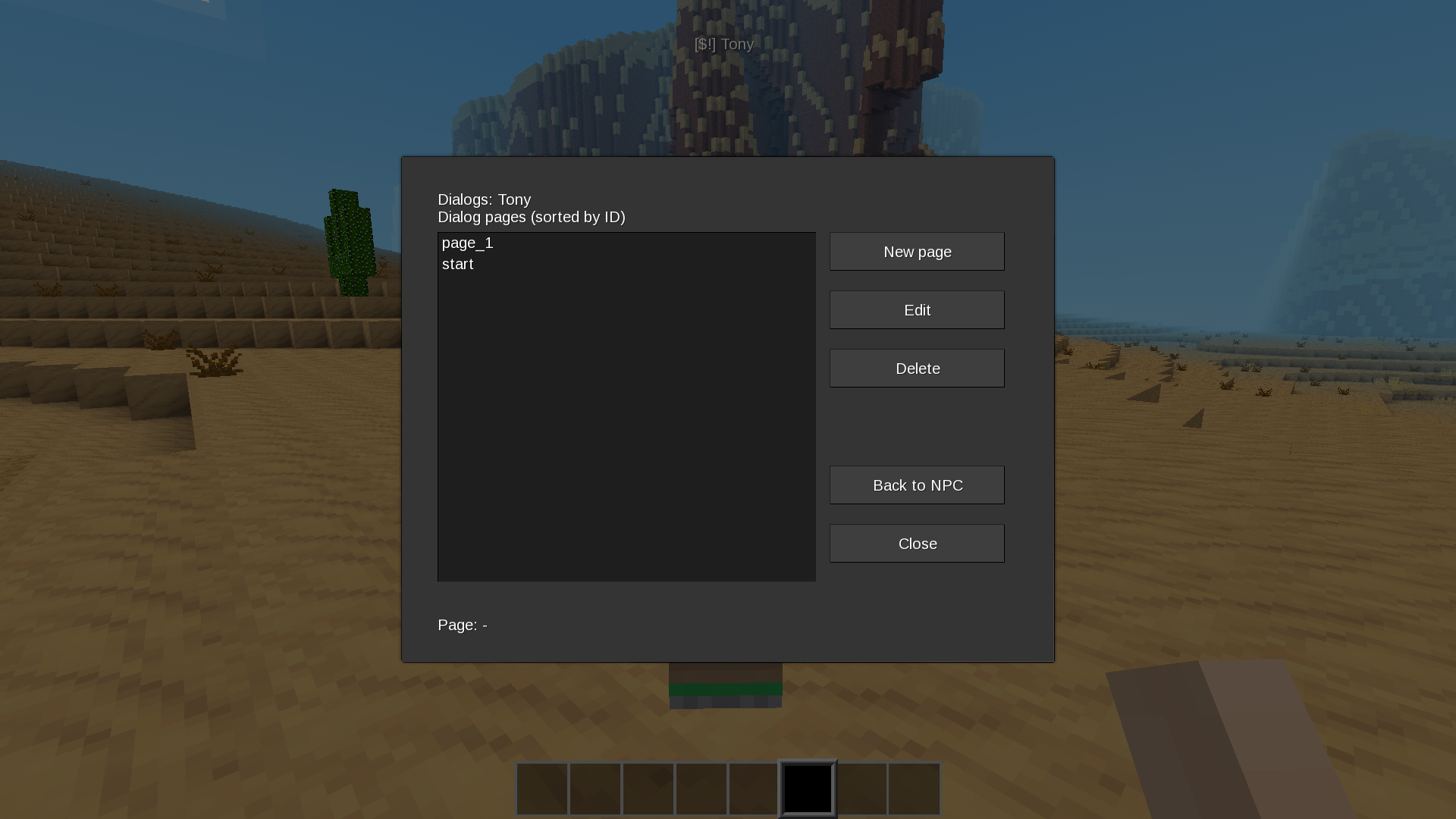
Dialogs
Each template has dialog pages. A page has:
- ID — unique within the template (e.g.
start,about) - Text — displayed to the player
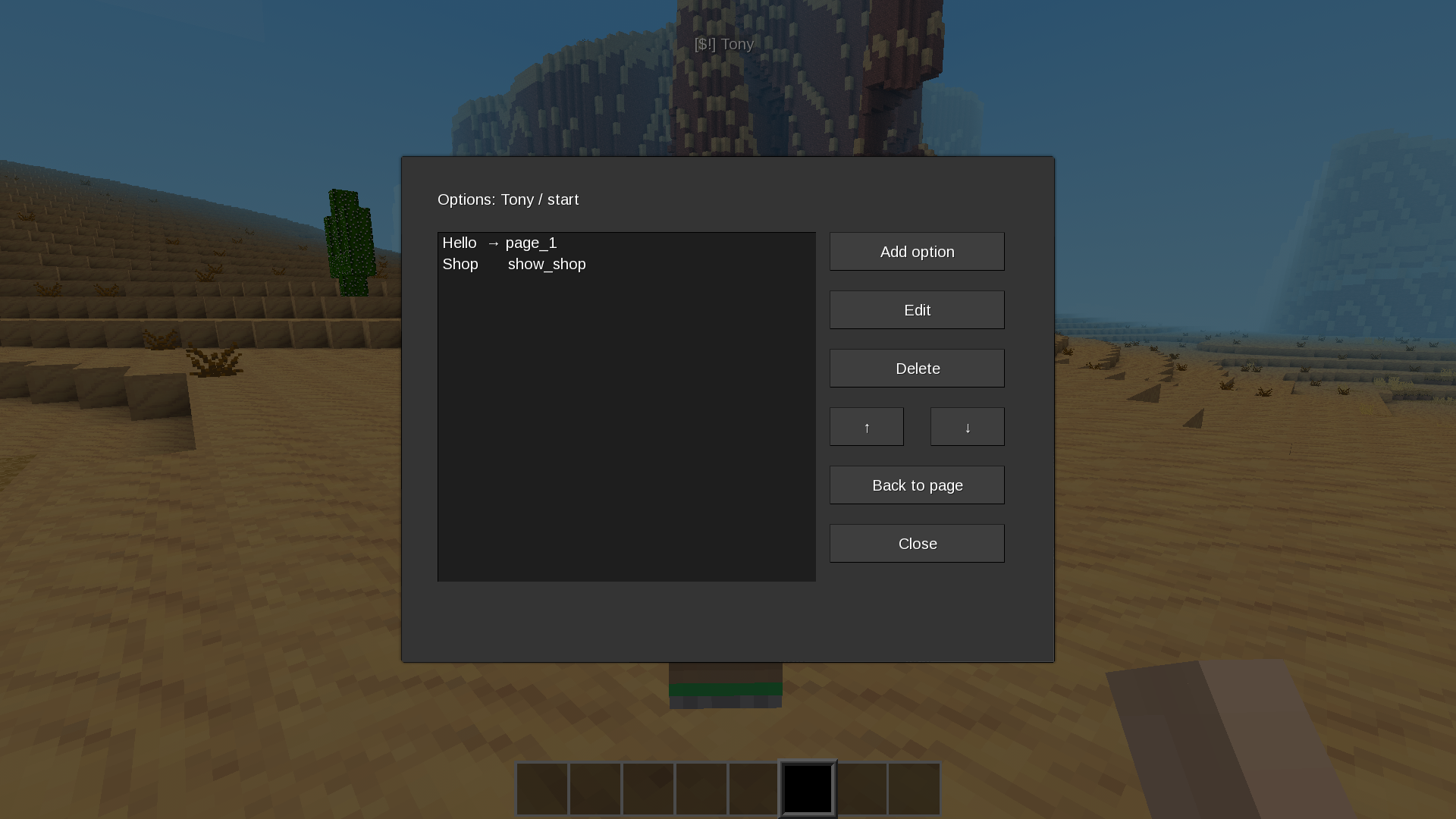
- Options — list of player choices
Each option has:
- Text — what the player sees
- Type —
next(go to another page) oraction(trigger something) - Target — page ID or action name
Built-in actions
show_shop— open the NPC shoptp_<id>— use a teleport (e.g.tp_1)show_npc_directory— open resident directoryshow_info_<id>— show info about another NPC
Trade
Each trade has:
- Name — displayed in the shop list
- You give — items the player needs (comma-separated list)
- You receive — items the player gets (comma-separated list)
Format: mod:item count. Without count — 1.
Examples:
default:steel_ingot 10
default:sword_steel 1, default:sword_stone 1
Teleports
Each teleport has:
- Name — displayed in the dialog
- X / Y / Z — target coordinates (use Here to grab current position)
- Price — item cost, empty for free
Nametag Indicators
Indicators show what each NPC can do:
| Icon | Meaning |
|---|---|
$ |
Has a shop |
→ |
Has teleports |
! |
Has dialog |
Modes:
all— icons + name (default)name— only nameicons— only iconsnone— hidden
Change mode via /npc_indicators <mode> or the admin panel button.
Export / Import
Templates can be exported to JSON files in the world folder:
worlds/<your_world>/npc_core_exports/Use Export / Import in the admin panel, or commands:
/npc_export arthur
/npc_import arthur.json
JSON files can be shared between worlds and servers.
Advanced: Templates in Lua
For complex templates or mod integration, you can register templates directly in Lua:
npc_core.npc_defs.my_npc = {
    name = "My NPC",
    profession = "Blacksmith",
    location = "Village",
    texture = "npc_1.png",
    info = "A friendly blacksmith.",

    pages = {
        start = {
            text = "Hello, traveler.",
            options = {
                { text = "Who are you?", next = "about" },
                { text = "Show wares", action = "show_shop" },
            },
        },
        about = {
            text = "I forge weapons and armor.",
            options = {
                { text = "Back", next = "start" },
            },
        },
    },

    trade = {
        {
            name = "Steel Sword",
            need = "default:steel_ingot 10",
            give = "default:sword_steel",
        },
    },

    teleports = {
        {
            id = 1,
            name = "To City",
            pos = { x = 100, y = 10, z = 100 },
            cost = "default:mese_crystal 1",
        },
    },
}
Templates registered this way are built-in and cannot be edited via the in-game editor. Clone them to modify.
Documentation
Detailed guides:
- Player guide — for players interacting with NPCs
- Admin guide — for server admins
- Developer guide — for mod developers
Translation
The mod is translatable. To add a language, create
locale/npc_core.<lang>.tr in the same format as npc_core.en.tr.
See existing files for examples.
License
- Code: GNU General Public License v3.0 or later (see
LICENSE) - Textures: CC0 1.0 (public domain) — see
ATTRIBUTION.md
This mod is free software: you can redistribute it and/or modify it under the terms of the GNU General Public License as published by the Free Software Foundation, either version 3 of the License, or (at your option) any later version.
Links
- Source: https://github.com/8a7l/npc_core
- Issues: https://github.com/8a7l/npc_core/issues
- Original ContentDB page: content.luanti.org/packages/8a7l/npc_core/
License
GPL-3.0-or-later
Media license: CC0-1.0
Development state
AS_IS
| Version | Date | Min engine | Size | Download |
|---|---|---|---|---|
| v1.0.1 | 2026-09-18 06:04:47 | 8.8 MB | Download |