Mod

![]()
Fancy Place
Better block placement system that allows you to place blocks even when not pointing at the connecting face.
building building_mechanics survival
Fancy Place Mod - User Guide
What does this mod do?
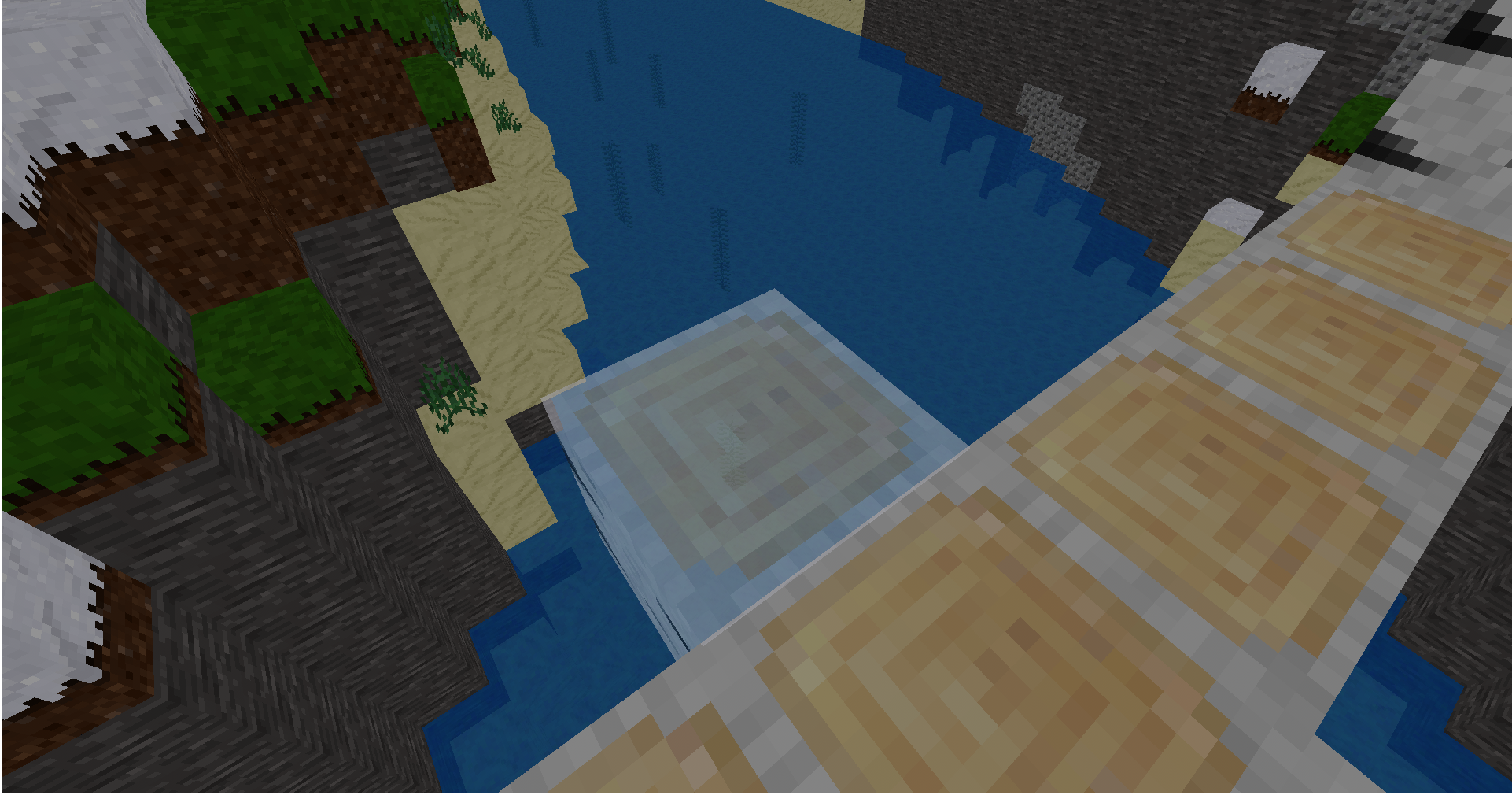
The Fancy Place mod makes building easier by showing "ghost blocks" - transparent preview blocks that appear next to existing blocks. You can right-click these ghost blocks to place your blocks exactly where you want them!
Key Feature
- Ghost Block Preview: See exactly where your block will be placed
-
How to Use
- Hold a block in your hand (any placeable block)
- Look near existing blocks - you'll see transparent "ghost blocks" appear
- Right-click a ghost block to place your block there
- That's it! The block is placed and the ghost block disappears
Customizing the Mod
Available Settings
fancy_place_ghost_opacity = 128        # Ghost transparency (0-255)
fancy_place_ghost_glow = 8             # Ghost glow intensity (0-15)
fancy_place_ghost_size = 1.02          # Ghost size multiplier (1.0-1.1)
fancy_place_reach_distance = 4.5       # How far you can place (1.0-4.5)
fancy_place_allow_diagonal = true      # Allow diagonal placement
fancy_place_play_sounds = true         # Play placement sounds
fancy_place_update_interval = 0.2      # Update frequency in seconds
fancy_place_instant_updates = true     # Instant ghost block updates
fancy_place_show_config = false        # Show config in server log
Configuration Options
Ghost Block Appearance
- Opacity: How transparent the ghost blocks are (0-255)
- Glow: How much the ghost blocks glow (0-15)
- Size: How much bigger ghost blocks appear than normal blocks
Placement Behavior
- Reach Distance: How far you can place blocks
- Diagonal Placement: Whether to show ghost blocks diagonally
- Placement Sounds: Whether to play sounds when placing blocks
Performance Settings
- Update Interval: How often ghost blocks update
- Instant Updates: Whether ghost blocks update immediately
- Max Ghost Blocks: Maximum number of ghost blocks per player
Troubleshooting
Ghost blocks are too hard to see
- Increase
GHOST_OPACITY(try 180-200) - Increase
GHOST_GLOW(try 12-15) - Increase
GHOST_SIZE(try 1.03-1.05)
Ghost blocks are too distracting
- Decrease
GHOST_OPACITY(try 80-100) - Decrease
GHOST_GLOW(try 3-5) - Decrease
GHOST_SIZE(try 1.01)
Performance issues
- Set
INSTANT_UPDATES = false - Increase
UPDATE_INTERVALto 0.5Ghost blocks don't appear
- Make sure you're holding a placeable block
- Make sure you're looking near existing solid blocks
- Make sure you aren't lagging
Tips for Best Experience
- Start with defaults - The default settings work well for most players
- Adjust opacity first - This has the biggest visual impact
- Test in creative mode - Easier to experiment with different blocks
- Consider your playstyle - Builders might want higher opacity, casual players might prefer subtle
- Performance matters - If you have a slower computer, use the Performance preset
Support
If you encounter issues:
- Check this guide first
- Try the default settings
- Look at the terminal/log for error messages
- Report bugs with specific details about what you were doing
Enjoy building with Fancy Place!
Links
- Source: https://github.com/DragonWrangler1/fancy_place
- Issues: https://github.com/DragonWrangler1/fancy_place/issues
- Original ContentDB page: content.luanti.org/packages/DragonWrangler/fancy_place/
License
MIT
Development state
MAINTENANCE_ONLY
| Version | Date | Min engine | Size | Download |
|---|---|---|---|---|
| 1.0.0 - Init | 2025-07-21 16:19:15 | 5.9 | 6.1 KB | Download |