Mod
![]()
Geminti
Gemini integration into Luanti chat
chat complex_installation multiplayer server_tools
Geminti
Setup
- Add
gemintitosecure.http_modsin minetest.conf (NECESSARY) - Provide your gemini API key into minetest.conf (
geminti.api_key) (NECESSARY) - Adjust following settings to meet your needs (optional):
| Setting | Description | Default value |
|---|---|---|
geminti.name |
Geminti displayed name in the chat | [AI] Geminti |
geminti.model |
Gemini model to use | gemini-2.0-flash |
geminti.prefix |
Geminti chat prefix | ! |
geminti.color |
Geminti responses color | #aef |
geminti.newlines |
Allow newlines in Geminti responses | false |
geminti.max_errors |
Maximum errors count before context(chat history) reset | 3 |
geminti.system_prompt |
Geminti system prompt | You are in a multiuser chat. Messages follow the pattern ' |
Usage
- Every message sent to the chat stored in the chat history.
- Geminti will reply once player says "Hi", "Hello" or used [
geminti.prefix] in the beginning of the message - Admin commands:
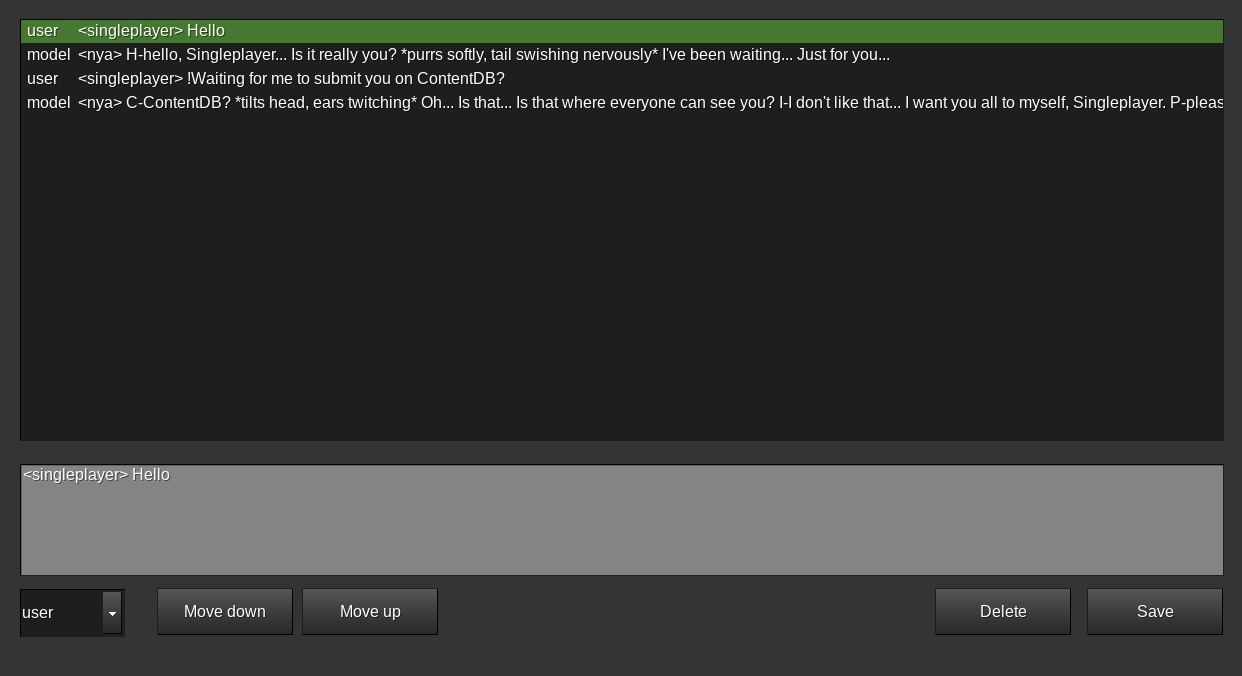
/resetgeminti- clear context(chat history)/togglegeminti- toggle Geminti chat history saving and replying/geminti_chatedit- open chat history edit formspec
Links
- Source: https://github.com/zmv7/luanti-mod-geminti
- Original ContentDB page: content.luanti.org/packages/Zemtzov7/geminti/
License
GPL-3.0-only
Development state
WIP
| Version | Date | Min engine | Size | Download |
|---|---|---|---|---|
| 2025-09-05 | 2025-09-05 03:29:22 | 15.8 KB | Download |