Steampunk Blimp

Adds a steampunk blimp
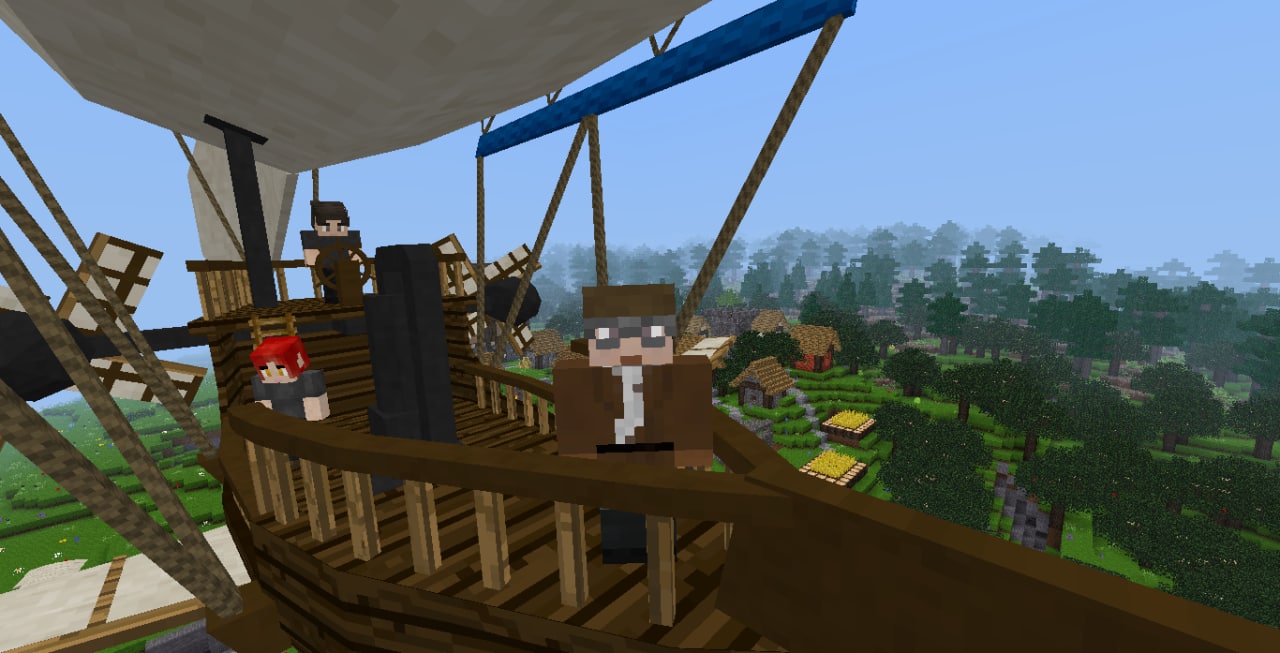

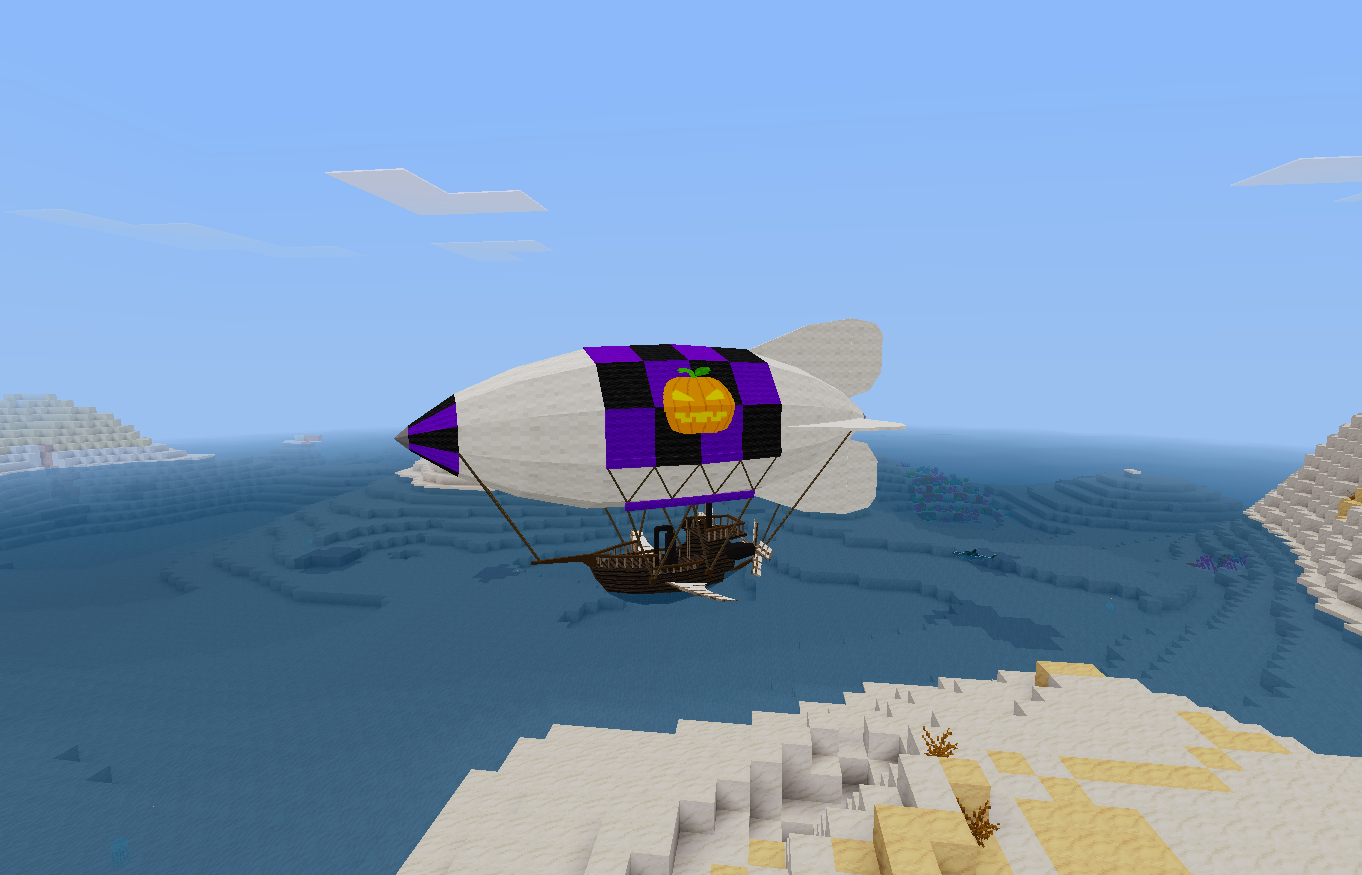


Luanti 5.10 mod: Steampunk Blimp
Note: update the airutils lib first
Note 2: not designed for potato server
Note 2023/12/21: Now the logo formspec let the player use any texture loaded in the game
This mod implements a fantasy steampunk blimp for Luanti. The mod was made for fun, but tries to provide an immersion on it's operation. It can carry 9 players.
To fly it, it is necessary to provide some items, such as fuel to be burned and water for the boiler. The fuel can be coal, coal block and wood. To supply it, be on board and punch the necessary items on the airship. There is another way to load water to the boiler: if it is landed on water, it can load it through the menu. But the current pressure will be lost.
Activate the furnace in the first option of the menu. Take control by activating the option "Take the Control".
The information panel will be on the left and bottom of the screen. Wait for the boiler to reach the proper pressure for operation (green) before operating the power lever. To go up, press Jump (space). Note that it takes some pressure from the boiler. To go down, hold sneak (shift).
Forward increases the propeller power, Backward reduces. To go reverse, hold aux (E key) and backward together. There is a power mode. When the lever reaches the up limit, hold E and forward to increase the acceleration. But note that the boiler will lose pressure.
The blimp inventory can be accessed by Aux (E) + rightclick.
Shared owners:
- This vehicle was made to be shared with a team. So the owner can set more users to operate it. Inside the blimp, just use the command /blimp_share
- To remove someone from the sharing, /blimp_remove
- To list the owners, /blimp_list
- Is possible to lock the blimp access, so only the owners can enter: /blimp_lock true
- To let anyone enter, /blimp_lock false
- All shared owners can access the blimp inventory
Painting:
- As the planes, punch a dye against the hull, so the primary color will change
- To change the secondary color, punch a dye, but holding Aux (E) key.
- It is possible to set a logo on your blimp, so enter inside it and type the command /blimp_logo
- Only the original owner can do the paintings
- To paint it on Repixture game, the owner have to use the command /blimp_paint
Shortcuts:
-
right click to enter and access menu
-
punch with dye to paint
-
forward and backward while in drive position: controls the power lever
-
left and right while in drive position: controls the direction
-
jump and sneak: controls the up and down movement
-
E + right click while inside: acess inventory
-
E + backward while in drive position: the machine does backward
-
E + foward while in drive position: extra power
-
E + left while in drive position: shot left cannon *
-
E + right while in drive position: shot right cannon *
-
E + space while in drive position: shot both cannons *
(* the cannons must be loaded and unlocked before the shot)
(* the ammo for the cannons must be at the bottom line of blimp inventory)
Damages and Reapirs:
- Now impacts and shots will damage the airship. But the damage is limited until hp reaches the value of 10
- The damaged blimp wont fly and will fall after losing it's pressure
- To repair the damaged airship, punch gold ingots into it
Tip:
- Drive it gently.
- The captain can leave the drive position to walk too
- If a player goes timeout or logoff in flight, the blimp will "rescue" him if no other player enter the blimp, so is a good idea wait the friend at a secure place far from anyone who wants to enter the blimp.
- To bring it again into your inventory, right click with the Repair Tool or the Skeleton Key. But remember: you will lost the inventory, so clean it first
Know issues:
- The walk movement inside the ship is affected by server lag, because the lack of an interpolation method on attach function.
- Rubber-band bug is from luanti nature, just close and reopen luanti to solve.
- Some old versions of minetest can have an strange issue, the camera is set to the map center. So if it happens, just type /blimp_eject to be free again.
License of source code: MIT (see file LICENSE)
License of media (textures and sounds):
collision.ogg by APercy, CC0
Blimp model and textures by APercy. CC BY-SA 3.0
Links
- Source: https://github.com/APercy/steampunk_blimp
- Forum: https://forum.luanti.org/viewtopic.php?t=28166
- Issues: https://github.com/APercy/steampunk_blimp/issues/new/choose/
- Donate: https://www.paypal.com/donate?hosted_button_id=YDZMU5QKDGNFY
- Original ContentDB page: content.luanti.org/packages/apercy/steampunk_blimp/
License
MIT
Media license: CC-BY-SA-3.0
Development state
WIP
| Version | Date | Min engine | Size | Download |
|---|---|---|---|---|
| 0.60 | 2026-08-22 21:10:18 | 5.10 | 1 MB | Download |