Codecube

A game where the player can construct by programming
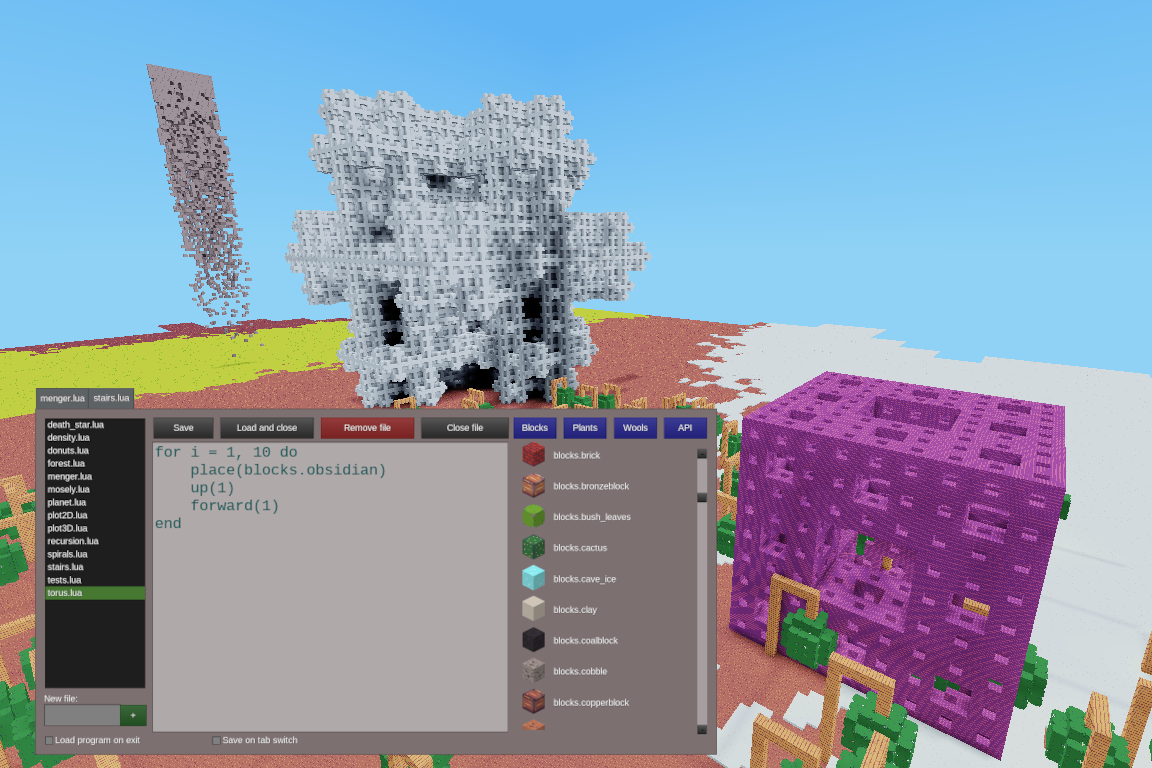
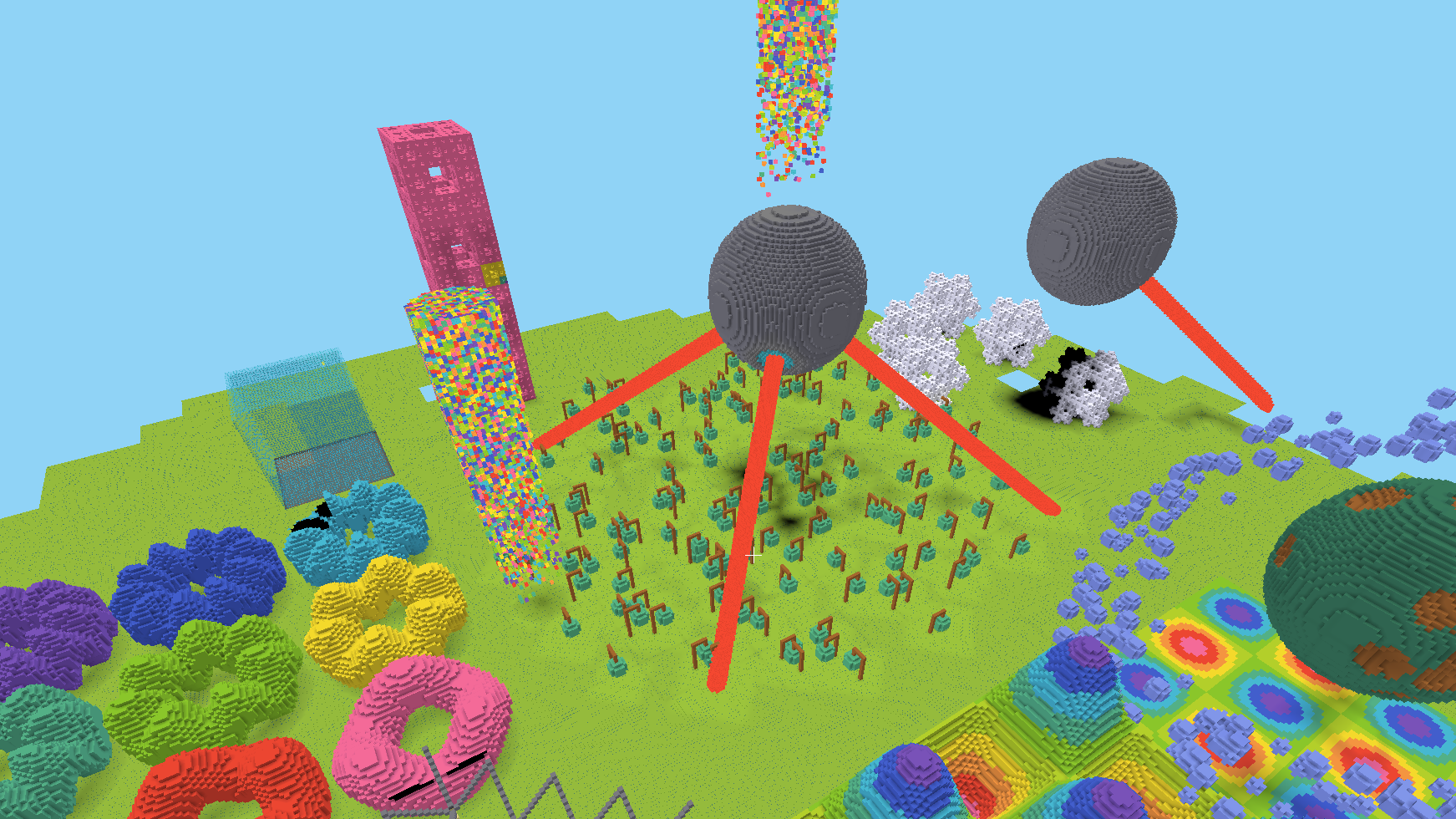
Write a program in Lua and watch your drone build it! Codecube gives you a code editor inside Luanti and a flat empty world as a playground: learn to code or give your inner computer artist somewhere to play!
Features
- A flat clean world. No caves, no ores, no biomes, no decorations, only what you build.
- An editor in the game. A per-player program list with create/edit/save functions. Helpers beside the code for when you forget a command or a block name.
- A large API with real Lua. Shapes, maths and conveniences: cubes, spheres, domes and cylinders, a random colour, named checkpoints the drone can return to, loops, functions and recursion. Everything is in a sandbox so the server cannot be hurt.
- Example programs to discover. Spirals, fractals, 3D plots and other more artistic examples. Open one and change a number to see what happens.
- A control panel. Every limit with what your program has spent beside it, and pause, resume and stop controls on the drone.
- Custom blocks. Thirty-five named colours with solid, glass and lamp variants.
- World limits. A see-through wall around the world and a bedrock floor with fall protection.
- Always day. No day-night cycle and a clean uniform sky.
- Programming only. Digging and inventory are disabled: every new block in the world was put there by a program.
- Per-player limits. Tunable by administrators so the game is usable on a public server.
Quick start
- Create a world and enter it. Run
/codeblock toolsto be given the Drone placer and the Drone setter items. - Right click a block with the Drone placer. A list of programs appears, pick
stairs.lua. - Left click with the Drone placer. The drone builds the staircase in front of you.
To change what it builds:
- Right click with the Drone setter to open the editor. Open
stairs.lua, change the number of stairs, click Load and close. - Place a drone and left click again.
Experiment and discover with the other examples, or write your own!
Important notes
- Every player has a
codelevel, and it bounds what one program may spend of the server. If a program stops early, that is usually why, and the chat says which limit it hit. - At codelevels 1 and 2 the drone builds slowly on purpose, so a beginner can watch a loop happen. Levels 3 and 4 do not wait. A single player starts at 3; on a server a new player starts at 2 and an administrator raises it.
- One setting sizes the world, and it bounds every axis. By default the wall stands ~4000 nodes in every direction.
Recent changes
This release needs Luanti 5.9 or newer, and it breaks saved programs and changes worlds you have already played in.
- The world is now bounded and much bigger. You cannot fall out of it any more.
- The blocks a program places are the CodeBlock mod's own, so the game no longer bundles Minetest Game's
default,woolanddye. A program naming an old block places nothing. - Every panel and the hotbar are drawn in the game's own style
- Some API names are gone with no replacement, so a saved program using one stops on that line: the whole
tablenamespace,random.block,random.plant,random.wool,table.randomizerand the per-category colour ramps. - The drone's limits were rewritten around what a program costs the server instead of counts of calls. Nothing bounds a shape's size or how far the drone may fly from home any more.
- The two lowest codelevels now pace the drone so a beginner can watch a loop happen. A single player starts at codelevel 3 and a new player on a server at 2, where everyone used to start at 4.
- Every drone limit and both of the world's numbers are settings.
- Programs build faster. The ceiling on how much of the world one program may hold at once was raised at every codelevel, and that is what paces a large build; nothing about how you write a program changes.
- The bundled CodeBlock mod is adopted at its 1.0.0 release, up from the 0.7 series.
The drone, the editor, the sandbox and the API are the CodeBlock mod, which this game bundles. Install that on its own if you want them in a world of your own making.
Inspired by Gnancraft, ComputerCraft, Visual Bots, TurtleMiner and basic_robot.
Links
- Source: https://github.com/gigaturbo/codecube.git
- Issues: https://github.com/gigaturbo/codecube/issues
- Original ContentDB page: content.luanti.org/packages/giga-turbo/codecube/
License
AGPL-3.0-only
Media license: CC-BY-SA-4.0
Development state
ACTIVELY_DEVELOPED
| Version | Date | Min engine | Size | Download |
|---|---|---|---|---|
| v2.0.0 | 2026-09-23 02:10:22 | 5.9 | 2.8 MB | Download |