Escalator

A functional escalator system that transports players, NPCs, and mobs along stair inclines.
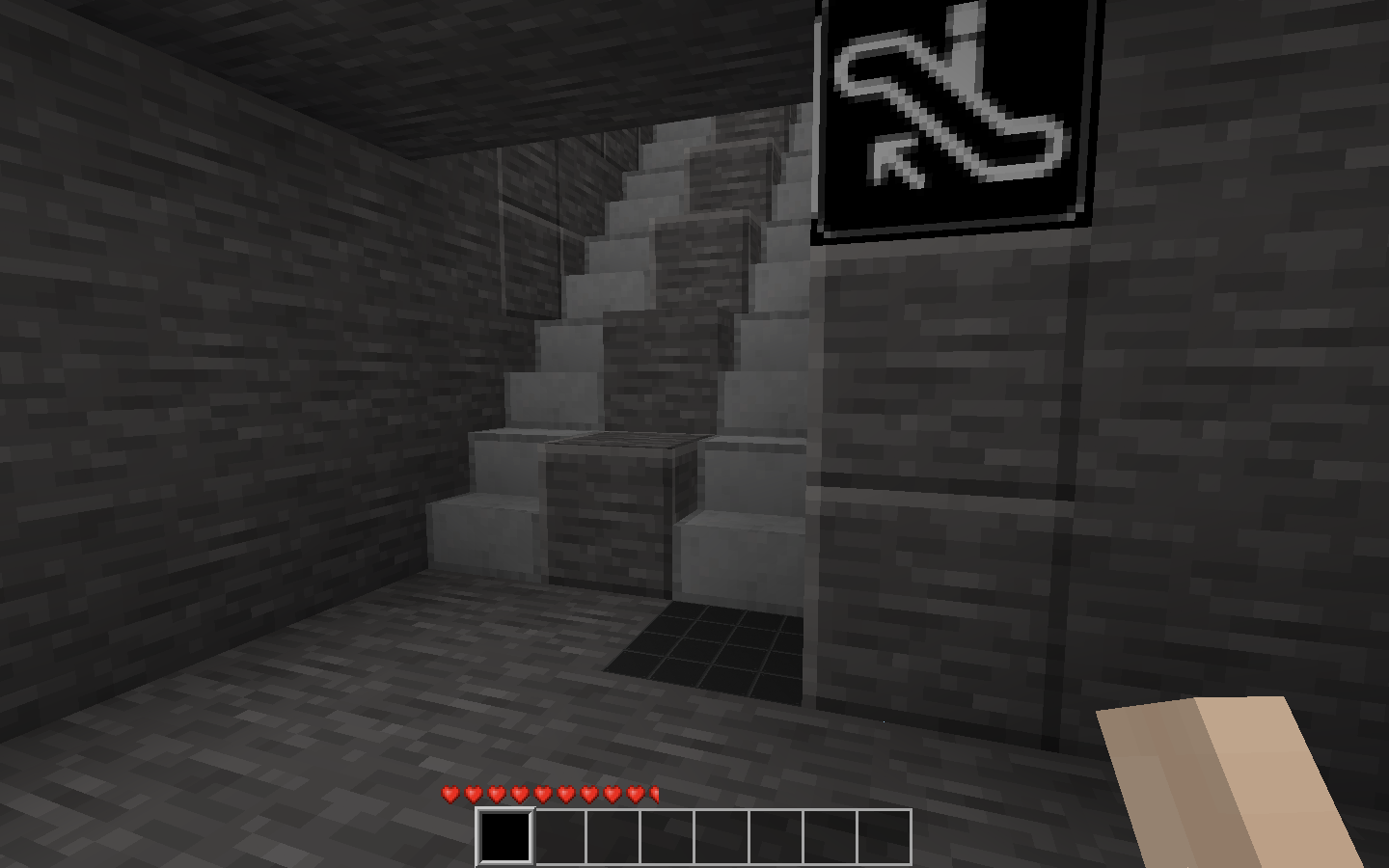
escalator — Luanti Mod
A fully functional escalator system that transports players, NPCs, and mobs
smoothly along a diagonal stair incline built from any stair node (group:stair).
Features
| Feature | Detail |
|---|---|
| Controller block | escalator:controller – place at the base of a staircase |
| Universal Stair Support | Works automatically with any stair node in MTG, VoxeLibre, and custom mods |
| Direction | Configurable Up or Down per controller |
| Orientation | North / South / East / West cardinal facing |
| Transport | Moves players, NPCs, and mobs via velocity override |
| Legacy mob support | Positional nudge via ABM for mobs without set_velocity |
| Stack rule | Controllers stack up to 10 high, enforced on placement |
| Performance | Scans only the active stair-path; no global entity sweeps |
| Tunable | All speeds and lengths configurable via settingtypes.txt |
Quick-start
-
Copy the
escalator/folder into your game'smods/directory. -
Enable the mod in the Content / Mods menu or
minetest.conf. -
Craft the controller:
Minetest Game (MTG) Recipe:
- Place a Mese Crystal at the top-center, and Steel Ingots in a U-shape:
[              ]  [ Mese Crystal ]  [              ]
[ Steel Ingot  ]  [ Steel Ingot  ]  [ Steel Ingot  ]
[ Steel Ingot  ]  [              ]  [ Steel Ingot  ]
(Uses
default:steel_ingotanddefault:mese_crystal)

MineClone2 / VoxeLibre Recipe:
- Place a Redstone Block at the top-center, and Iron Ingots in a U-shape:
[              ]  [Redstone Block]  [              ]
[  Iron Ingot  ]  [  Iron Ingot  ]  [  Iron Ingot  ]
[  Iron Ingot  ]  [              ]  [  Iron Ingot  ]
(Uses
mcl_core:iron_ingotandmesecons_torch:redstoneblock/mcl_redstone:redstone_block)

- Place a Mese Crystal at the top-center, and Steel Ingots in a U-shape:
-
Place the controller block:
- Upward Escalator: Place the controller block at the bottom of the staircase.
- Downward Escalator: Place the controller block at the top platform behind the stairs.
-
Step onto any stair — you'll be smoothly carried along!
📐 How to Place the Controller
↗️ Upward Escalator
Place the controller block at the bottom base of the stairs:
       ↗️ Stair
     ↗️ Stair
   ↗️ Stair
⬛ Controller
↘️ Downward Escalator
Place the controller block on the top platform directly behind the first descending stair step:
⬛ Controller ↘️ Stair
               ↘️ Stair
                 ↘️ Stair
The controller automatically scans up to 32 stairs along the diagonal.
Configuration (settingtypes.txt)
| Setting | Default | Description |
|---|---|---|
escalator_h_speed |
1.5 |
Horizontal speed (nodes/s) |
escalator_v_speed |
1.5 |
Vertical speed (nodes/s) |
escalator_max_stair_length |
32 |
Max stair nodes scanned |
escalator_timer_interval |
0.15 |
Controller timer interval (s) |
escalator_max_stack |
10 |
Max controller stack height |
Debug command
/escalator_infoLook at a controller (within 8 nodes) and run this command to see its current configuration and how many stair steps were detected.
Compatibility
- Luanti (formerly Minetest) ≥ 5.6
- stairs / mcl_stairs mod (standard in almost all games)
- MTG (Minetest Game) – full compatibility (using any
stairs:stair_*block and standard steel/mese recipe) - VoxeLibre / MineClone2 / Mineclonia – full compatibility (using any
mcl_stairs:stair_*block and iron/redstone block recipe)
License
MIT – do whatever you want, attribution appreciated.
Links
- Source: https://github.com/ronrob-lu/escalator
- Donate: https://ko-fi.com/X6J423C9IE
- Original ContentDB page: content.luanti.org/packages/ronrob-lu/escalator/
License
MIT
Media license: CC0-1.0
Development state
MAINTENANCE_ONLY
| Version | Date | Min engine | Size | Download |
|---|---|---|---|---|
| 2026-07-27 | 2026-07-27 06:23:18 | 555.2 KB | Download |