Cinematic Camera
Commands for cinematic camera moves.
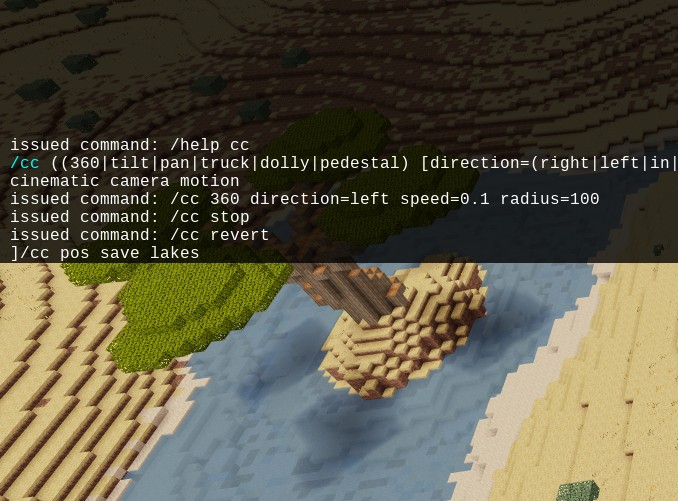
Use chat commands to control your camera when recording in-game videos with aerial views, time lapse, movie-style scenes. The mod runs server-side and controls calling player position and look direction, so using client-side movement will obviously cause disruption.
All commands are placed under /cc command which stands for cinematic camera. Running the commands requires fly privilege (they don't make sense without it anyway).
Camera motions
360
/cc 360 [r=<radius>] [dir=<l|left|r|right>] [v=<velocity>] [fov=<field of view>]Move the camera around a center point while keeping the focus on the center.
Parameters:
rorradius- distance to the center point in the look direction of the player.dirordirection- direction of the camera motion.vorspeed- speed multiplier.fov- Field of View multiplier to create fish eye effect or zoom on an object.
Tilt
/cc tilt [v=<velocity>] [dir=<u|up|d|down>] [fov=<field of view>]Rotate the camera vertically, like looking up or down.
Parameters:
dirordirection- direction of the camera motion.vorspeed- speed multiplier.fov- Field of View multiplier to create fish eye effect or zoom on an object.Pan
/cc pan [v=<velocity>] [dir=<l|left|r|right>] [fov=<field of view>]Rotate the camera horizontally, like looking to the left or right.
Parameters:
dirordirection- direction of the camera motion.vorspeed- speed multiplier.fov- Field of View multiplier to create fish eye effect or zoom on an object.Truck
/cc truck [v=<velocity>] [dir=<l|left|r|right>] [fov=<field of view>]Move the camera sideways without changing the angles, like it is on a truck
Parameters:
dirordirection- direction of the camera motion.vorspeed- speed multiplier.fov- Field of View multiplier to create fish eye effect or zoom on an object.Dolly
/cc truck [v=<velocity>] [dir=<f|forward|in|b|back|backwards|out>] [fov=<field of view>]Move the camera forward or backwards in the look direction. You can rotate the camera in motion to set the desired look angles.
Parameters:
dirordirection- direction of the camera motion.vorspeed- speed multiplier.fov- Field of View multiplier to create fish eye effect or zoom on an object.Pedestal
/cc pedestal [v=<velocity>] [dir=<u|up|d|down>] [fov=<field of view>]Move the camera vertically. You can rotate the camera in motion to set the desired look angles.
Parameters:
dirordirection- direction of the camera motion.vorspeed- speed multiplier.fov- Field of View multiplier to create fish eye effect or zoom on an object.Zoom
/cc zoom [v=<velocity>] [dir=<in|out>] [fov=<field of view>]Gradually zoom on an object or out into panorama view.
Parameters:
dirordirection- direction of the camera motion.vorspeed- speed multiplier.fov- Initial Field of View multiplier.Camera control
/cc stopStop the camera motion
/cc revertStop and return to initial position.
Position control
Manage the list of camera positions stored in the player's metadata. The list survives rejoining and server restarts.
/cc pos save [name]Save the current position and look direction, with an optional name (will be saved in
defaultslot if no name provided)/cc pos restore [name]Return to the saved position, either
defaultor a named one./cc pos clear [name]Remove a saved position.
/cc pos listGet a list of saved positions.
Links
- Source: https://github.com/x2048/cinematic
- Forum: https://forum.luanti.org/viewtopic.php?t=26433
- Issues: https://github.com/x2048/cinematic/issues
- Original ContentDB page: content.luanti.org/packages/x2048/cinematic/
License
AGPL-3.0-only
| Version | Date | Min engine | Size | Download |
|---|---|---|---|---|
| v1.0 | 2021-03-20 17:50:59 | 5.3 | 15.6 KB | Download |